iPhone 12 mini Screen and Battery Swap
phone-repairhardware partial
5/1/2026
Tools: pentalobe screwdriver, tri-point screwdriver, spudger, suction cup, heat gun
Parts: GX OLED screen assembly, FlyCDI battery, adhesive strips
Time spent: ~90 minutes
Cost: ~$45
Context
This is an iPhone 12 mini. It had an aftermarket screen and a CELLMAXS battery installed from a prior repair. The old screen was sold as a GX OLED from a different seller, though the box itself had no GX branding so I’m not certain on that. One day the screen suddenly went black with some backlight and a bunch of lines. Shortly after, the CELLMAXS battery bloated into a spicy pillow, pushing the screen up from the frame. I had to pull it apart immediately to dispose of the bloated battery safely.
I still had the original OEM battery lying around. I tested the phone with it to confirm the logic board was fine—the phone booted and worked via the original battery, proving the board was alive and only the screen was dead.
With the board confirmed working, I decided to revive it with a GX OLED screen and FlyCDI battery.
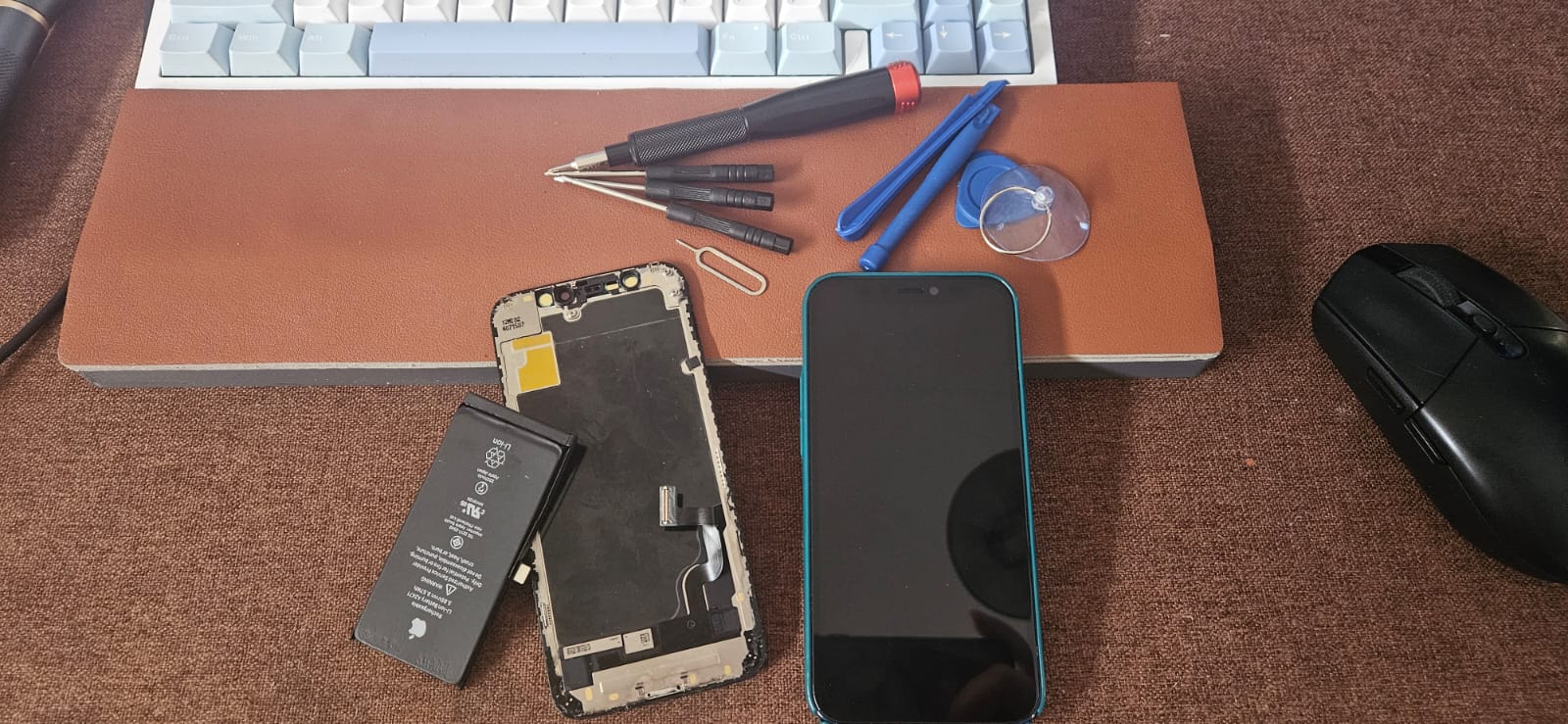
Plan
- Remove the bloated battery from the 12 mini and dispose of it safely
- Test the board with the original battery to verify functionality
- Install a GX OLED screen assembly and FlyCDI battery
- Check all functions before sealing the phone
Execution
- Heated the edges to loosen adhesive
- Removed pentalobe screws and lifted the display with a suction cup
- Disconnected the battery first, then display cables
- Removed the bloated CELLMAXS battery and disposed of it properly
- Transferred the home button and front camera assembly to the new screen
- Installed the GX OLED screen assembly and FlyCDI battery with fresh adhesive strips
- Reconnected display and battery cables
- Reassembled and sealed the phone
Post-Install Findings
Ear speaker unit does not work. I failed to check it before sealing the display. This is now locked behind the adhesive and requires another teardown to diagnose. Possible causes: ear speaker flex damage during transfer, a bad seal on the speaker contacts, or a defective part.
Until I reopen it, the workaround is using the loud speaker or earbuds on calls.
Result
- Screen is responsive with no dead zones
- New battery holds a charge
- Face ID and front camera still functional
- Ear speaker dead — deferred for future teardown and diagnosis
- Phone is usable with loud-speaker/earbud workaround
Lessons
- Always do a full function checklist (audio in, audio out, cameras, sensors, buttons) before reapplying adhesive and sealing
- Bloated batteries are a fire hazard — remove and dispose immediately, do not charge or puncture
- Testing with a known-good original battery is a fast way to isolate board vs. peripheral issues
- Cheap aftermarket parts save money but increase the risk of defects—budget extra time for troubleshooting